Canva for Content Creators: A Game-Changing Tool for Your Workflow

Updated: Jan 2, 2025
Content creation has become an essential part of modern branding, marketing, and personal expression. Whether you're a YouTuber, blogger, social media influencer, or entrepreneur, having eye-catching visuals is non-negotiable. This is where Canva steps in as a versatile, user-friendly design tool that empowers creators of all skill levels. Let’s dive into how Canva can revolutionize your content creation process.

1. Easy-to-Use Interface
Canva’s intuitive drag-and-drop interface makes designing a breeze, even for beginners. With a clean layout and straightforward tools, you can create stunning visuals without needing advanced graphic design knowledge.
2. A Wealth of Templates
One of Canva’s standout features is its extensive library of professionally designed templates. From Instagram posts and YouTube thumbnails to resumes and eBooks, Canva has templates for every need. This saves you time while ensuring a polished, professional look.
3. Customization Options
Creativity knows no bounds with Canva. You can easily customize templates by changing colors, fonts, images, and layouts to align with your brand identity. Canva Pro users can even upload their brand kit for quick access to logos, brand colors, and fonts.

4. Collaboration Made Simple
Content creation often involves teamwork, and Canva’s collaboration features make it seamless. Share your designs with teammates, leave comments, and make edits in real-time. This functionality is perfect for remote teams and agencies.

5. Endless Creative Assets
Canva offers a rich library of stock photos, videos, illustrations, and elements that you can incorporate into your designs. With Canva Pro, you get access to millions of premium assets, taking your visuals to the next level.

6. Time-Saving Tools
Features like Magic Resize allow you to quickly adapt a design for different platforms. For instance, you can transform a Facebook post into a Pinterest pin or Instagram story in just a few clicks, ensuring consistent branding across channels.
7. Animation and Video Editing
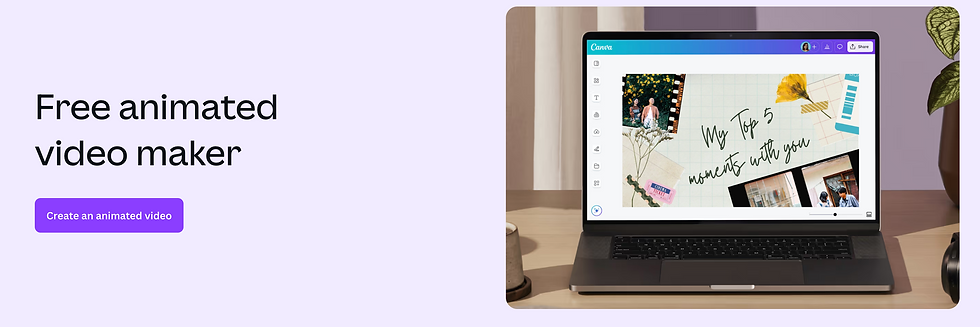
Gone are the days when Canva was limited to static designs. The platform now supports basic animation and video editing. You can add motion to your graphics or create simple video content—perfect for social media and YouTube.
8. Affordable Pricing
While Canva offers a free version loaded with essential features, Canva Pro unlocks advanced tools at an affordable price. Pro features include unlimited cloud storage, access to premium assets, and the ability to create a custom brand kit.
9. Mobile Accessibility
Canva’s mobile app ensures you can create and edit designs on the go. This flexibility is a lifesaver for busy content creators who need to work from their phones or tablets.

10. Educational Resources
Canva’s Design School offers tutorials, articles, and webinars to help you master the art of design. Whether you’re learning the basics or seeking advanced tips, there’s a resource for you.
11. Content Planner
For creators juggling multiple platforms, Canva’s built-in content planner is a game-changer. Schedule posts directly from Canva to your social media channels, ensuring consistent publishing and saving time.

12. Bulk Create Feature
Canva’s Bulk Create feature allows you to produce multiple variations of a design simultaneously. This is especially useful for creators managing large campaigns or creating personalized content at scale.

How to Make the Most of Canva as a Content Creator
Plan Ahead: Use Canva’s content planner to schedule and visualize your designs for upcoming campaigns.
Batch Create: Maximize efficiency by creating multiple designs in one sitting.
Experiment: Try different templates and design elements to discover what resonates with your audience.
Final Thoughts
Canva has become an indispensable tool for content creators, combining simplicity with powerful features. It levels the playing field by giving everyone access to professional-quality design tools. Whether you’re just starting your content creation journey or looking to elevate your existing workflow, Canva is a must-have resource.
Start designing today and watch your content stand out like never before!


Comments